Casper Gaming Developer Corner
Here you can find resources for various RPG Maker programs including RPG Maker MZ, RPG Maker MV, and more. Click the links above to navigate the dev corner, or read below for featured content. Enjoy your stay and have fun RPG Making!
Featured News
Summer Update
New Forums!
June 30, 2026
Hi all, it is time for the Summer update from Casper Gaming!
Since last time, there have been some important updates. The RPG Maker Web forums are shutting down, and already went read-only so no new posts can be made. They will be fully deleted in December of this year, unless plans change. As a result, I have created my own forums. You can find the new forums at: RM Planet.
The Casper Gaming Discord now has a Game Design channel. If you are looking to discuss game design, such as mechanics or anything else, you can now do that in the discord. The above forums also allow discussing game mechanics and other parts of game development.
I have also added a new section to the website: Tools! These are tools that will be standalone programs, meant to be used alongside RPG Maker. The first tool I have created is the Plugin Protector, which allows you to select a deployed project where it will then remove the annotation section of the plugin. This makes it very hard for anyone to steal plugins from your game projects since they would not be able to configure them in their own project, while still preserving how the plugin and your game functions. Featured Plugin
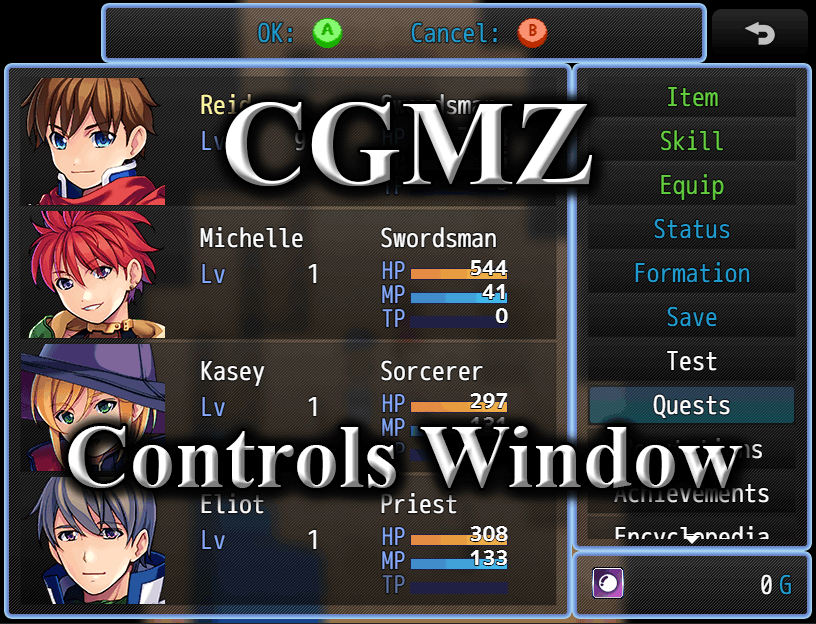
Controls Window
Release Date: November 15, 2023
Version: 1.0.1
Shows a window in each scene where you can list the controls to move around and select things within the scene. Each scene can be configured separately, or the window can be completely hidden if not desired in certain scenes such as third party scenes with their own control windows.
Featured Tutorial
RPG Maker MZ Academy
Release Date: November 6, 2020
Version: 3.0.0
The RPG Maker MZ Academy is a learning resource in a school setting. Progress through grade levels while learning increasingly complex things about the editor as you move up grades. You can also open the project up in the editor to see how things were done. Take a quiz after each lesson to prove you have mastered it. Can you pass every quiz?
This version contains the first, second, and third grade levels, which provide a basic introduction to the editor and some basic event creation knowledge. Lessons cover how to navigate the editor, event pages, and some simple event commands.
Featured Legacy Resource
Light Effects (VX Ace)
Release Date: April 23, 2012
Latest Update: Janaury 1, 2013
Version: 1.1.0
Allows you to create lights for your game. Comes with 12 preset light effects that are made
to replicate the light effects of Thomas Edison VX, however you can easily create your own effects as well and even use different
images for each light!